*Please note: as of May 22, Flight is now Canto. All references to Flight in this article refer to Canto.
Again Canto has delivered some cool and exciting new and improved features with the latest Flight update – Flight CDG.
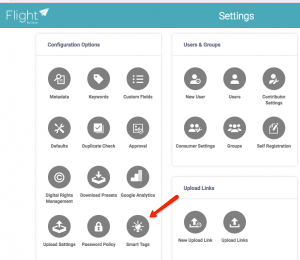
Smart tags
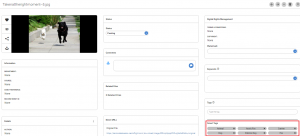
Currently only available in US and Europe (this may update soon). This exciting feature is based on AWS Rekognition – Flight can now automatically attach tags to an image after detecting objects and other details in an image.
After Smart tags are activated the admin can set a number of smart tags to be displayed, and set the accuracy of smart tags.
PowerPoint Preview
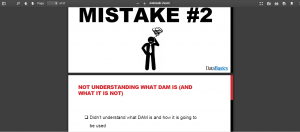
You are able to preview the whole PPT document before you download or share.
Just click on the magnifying glass in the middle.

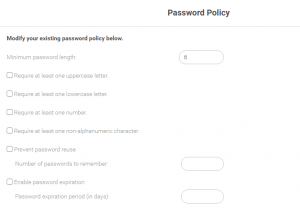
Enhanced Password Policies
For extra security, Flight CDG offers set up of password policy. You can apply different rules for all passwords to follow.
Add watermark when sharing a file
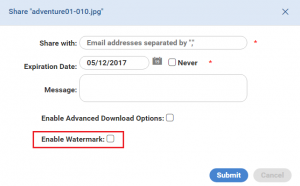
A popular new feature makes adding watermarks so much more easier. When sharing a file just select Enable Watermark.
Enable/ disable download in private portal
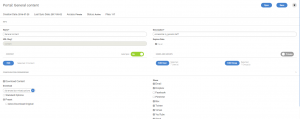
Administrator is able to change settings for private portal enabling or disabling download option.
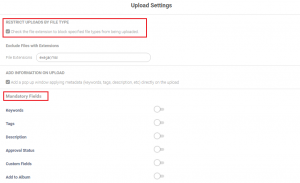
Mandatory fields and restricted upload types
Make certain metadata fields required during upload, and block specified file types from being uploaded.
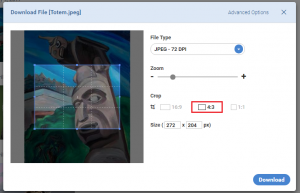
Predetermined ratios for image download
Choose from 3 crop options – 16:9, 4:3 or 1:1. The file will be automatically converted. Or keep original size. You can also crop a custom size by dragging the corners of the crop box, or entering values in the size boxes.
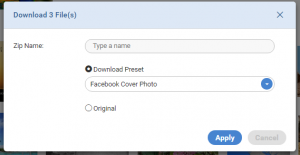
Multiple asset download preset
When selecting to download multiple assets you get an option for download presets or original.