

In this post
Get the latest insights delivered to your inbox
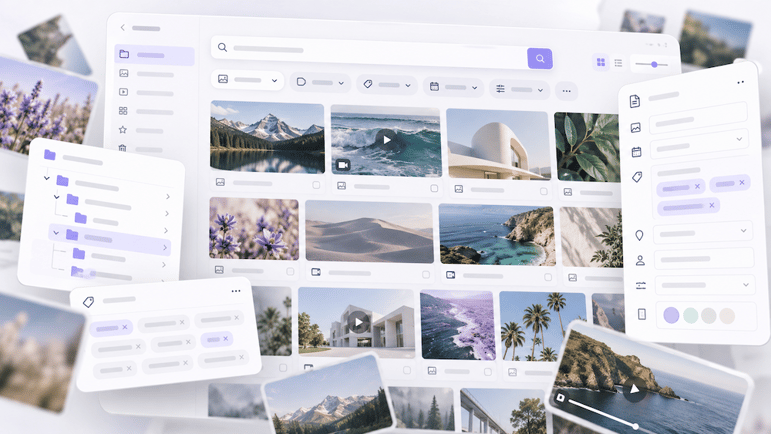
Your digital asset management system is supposed to make finding images, videos and other content easier. So why are people still asking colleagues where files are stored?
You know the image exists. Someone used it in a campaign six months ago. But when you search your digital asset management (DAM) system, you get hundreds of results — or nothing relevant at all.
You try a different keyword. Browse a few folders. Apply some filters. Eventually, you give up and ask a colleague.
Sound familiar?
One of the main reasons organisations invest in DAM software is to make their digital content easy to find. Yet having thousands of assets in one central library doesn't automatically make them searchable.
When people can't find what they're looking for, the problem isn't necessarily the DAM platform itself. It could be how the library was organised, how assets were described, or how people actually search.
Watch: Why is your DAM search failing? This 24-second explainer highlights three common reasons teams struggle to find the assets they need.
{
  "embed_field": {
    "source_type": "oembed",
    "supported_oembed_types": [
      "video"
    ]
  },
  "hubspot_video": {
    "conversion_asset": {
      "id": "",
      "position": "CUSTOM",
      "type": "CTA"
    },
    "height": 1350,
    "max_height": 250,
    "max_width": 200,
    "player_id": 225858308722,
    "player_type": "hsvideo2",
    "size_type": "auto_custom_max",
    "width": 1080
  },
  "style_options": {
    "play_button_color": {
      "color": "#F7761F",
      "css": "#F7761F",
      "hex": "#F7761F",
      "opacity": null,
      "rgb": "rgb(247, 118, 31)",
      "rgba": "rgba(247, 118, 31, 1)"
    }
  },
  "video_type": "hubspot_video",
  "dataQueryResult": {},
  "fieldValues": {
    "embed_field": {
      "source_type": "oembed",
      "supported_oembed_types": [
        "video"
      ]
    },
    "hubspot_video": {
      "conversion_asset": {
        "id": "",
        "position": "CUSTOM",
        "type": "CTA"
      },
      "height": 1350,
      "max_height": 250,
      "max_width": 200,
      "player_id": 225858308722,
      "player_type": "hsvideo2",
      "size_type": "auto_custom_max",
      "width": 1080
    },
    "style_options": {
      "play_button_color": {
        "color": "#F7761F",
        "css": "#F7761F",
        "hex": "#F7761F",
        "opacity": null,
        "rgb": "rgb(247, 118, 31)",
        "rgba": "rgba(247, 118, 31, 1)"
      }
    },
    "video_type": "hubspot_video"
  },
  "hublParameters": {
    "field_types": {
      "embed_field": "embed",
      "hubspot_video": "videoplayer",
      "style_options": "group",
      "video_type": "choice"
    },
    "isJsModule": true,
    "is_widget_block": true,
    "module_id": 136619187592,
    "org_tag": "module_block",
    "path": "@hubspot/video_prototype",
    "schema_version": 2,
    "smart_objects": [],
    "smart_type": "NOT_SMART",
    "tag": "module",
    "widget_type": "module",
    "wrap_field_tag": "div"
  },
  "hublData": null,
  "experimentalHublData": null,
  "moduleName": "widget_0b3c1854-df23-4c1c-b3f2-20ae5f7fd964",
  "supplementalFieldValues": {
    "embed_field": {},
    "hubspot_video": {},
    "style_options": {
      "play_button_color": {}
    },
    "video_type": {}
  }
}
Here are seven common reasons DAM searches fail — and what you can do about them.
1. Your DAM is organised around how files are stored, not how people search
Think about how your digital asset library was originally set up.
Perhaps someone created folders for each department, project or year. Marketing has its own section. Communications has another. Events are organised by date.
That structure might make perfect sense to the person who designed it.
But does it make sense to everyone else?
Imagine someone in your communications team needs a photo showing employees volunteering in the community.
They probably don't know that the image was taken during a corporate event in 2023, saved under the HR department, and filed within a folder named after the event.
They're thinking about what the image shows and what they want to use it for.
This is where many DAM libraries fall short. They're organised around how content was created or uploaded rather than how people need to retrieve it.
What to do instead
Start by understanding how different teams look for assets.
A marketing manager might search by campaign. A designer might search by visual subject or orientation. A communications officer might search by event, location or person.
Your DAM needs to accommodate these different ways of searching.
That doesn't mean creating a separate folder structure for every team. It means using a combination of sensible categories, metadata and search filters so people can find the same asset through different routes.
2. Your metadata doesn't describe what people actually need to know
Metadata is the information attached to a digital asset that helps describe, organise and retrieve it.
It might include:
- Asset title and description
- Subject or content category
- Location
- Campaign or project
- People or products featured
- Usage rights and permissions
- Approval status
But metadata is only useful when it contains information that helps someone find or select the asset.
Consider a photograph of a council employee planting a tree in a public park.
If the only information attached to it is the filename IMG_4582.jpg and the upload date, someone searching for "community", "environment", "tree planting" or "parks" may never find it.
The image exists. The DAM is working. But the system doesn't have enough information to connect the search with the asset.
What to do instead
Ask a simple question for each important asset category:
What would someone need to know to find this asset without having seen it before?
For the council photograph, useful information might include:
| Metadata field | Example |
|---|---|
| Title | Community tree planting at Riverside Park |
| Category | Community events |
| Location | Riverside Park |
| Subject | Tree planting, volunteers, environment |
| Department | Parks and Recreation |
| Usage rights | Approved for public communications |
You don't need to capture every possible detail. Focus on information that makes the asset genuinely easier to find, identify and use.
3. Everyone uses different words for the same thing
One person searches for "staff". Another searches for "employees". Someone else uses "team members".
They're looking for essentially the same type of image, but depending on how your DAM is configured, they may get very different results.
This is a common problem when metadata is added without agreed terminology.
For example, imagine your library contains photographs tagged with:
- Corporate headshots
- Staff portraits
- Employee photos
- Team pictures
These labels may describe similar content, but they aren't necessarily connected in the search system.
The result? People have to guess which terminology was used when the images were uploaded.
And if they guess incorrectly, they assume the assets aren't there.
What to do instead
Develop a consistent controlled vocabulary for your most important asset categories.
This doesn't have to be a complicated taxonomy project. Start with the terms people use most frequently.
Decide which words will be your preferred categories and whether your DAM supports synonyms or alternative search terms.
For example, you might standardise on "Employees" while allowing searches for "Staff" or "Team members" to return related assets.
Also consider differences between departments. What marketing calls "campaign collateral" might be called "promotional material" by another team.
The goal isn't to force everyone to think in exactly the same way. It's to ensure different terminology doesn't become a barrier to finding content.
4. Your DAM has plenty of metadata — but too much of it is inconsistent
More metadata doesn't always mean better search results.
In fact, an overly complicated metadata structure can make things worse.
Suppose your DAM has 40 custom fields, but only a handful are consistently completed. Some uploaders enter detailed descriptions. Others skip optional fields. Different departments apply categories differently.
Over time, the library becomes inconsistent.
A filter for "Approved" might return only a fraction of your usable assets because approval status hasn't been recorded consistently.
A search for "Product A" might miss content because some images were labelled using an old product name.
The more inconsistent your metadata, the less reliable your search results become.
What to do instead
Review which metadata fields are genuinely useful and which are creating unnecessary work.
Focus on a manageable set of fields that support your organisation's most common searches and decisions.
For example:
- Which campaign does this belong to?
- What does this image show?
- Is it approved for use?
- Are there restrictions on how it can be used?
- Is this the current version?
Where possible, use predefined choices rather than allowing everyone to enter their own terminology.
And make sure people uploading assets understand which information matters and why.
A smaller number of consistently maintained metadata fields will often be more valuable than dozens of fields nobody uses properly.
5. People don't know how to use the search tools available
Sometimes the problem isn't the content or metadata. It's that users don't know how to search effectively.
Modern DAM platforms can offer much more than a basic keyword search.
Depending on your system, users may be able to narrow results by:
- File type
- Date or location
- Campaign or department
- Image orientation
- Approval status
- Keywords and custom metadata
- Visual similarity or AI-generated tags
But if your team only knows how to type a word into the search bar, much of that functionality goes unused.
For example, a designer searching for a landscape image for a website banner might get hundreds of results using the keyword "office".
Filtering by image orientation, dimensions and approval status could narrow those results considerably.
What to do instead
Show users how to complete the searches they actually perform in their jobs.
Rather than delivering another generic DAM training session, demonstrate practical examples:
How do I find an approved image suitable for a website banner?
How do I find all photographs from last year's community events?
How do I find the latest approved version of a product brochure?
Short, task-based training can be much more useful than walking users through every feature.
It also helps reveal whether the problem is a lack of user knowledge or something that needs to be changed in the library itself.
6. Your AI tagging isn't solving the search problem
AI-powered tagging can make digital assets easier to discover by automatically identifying objects, scenes and other visual characteristics.
For example, an image recognition tool might identify a photograph as containing people, trees, grass and an outdoor setting.
That's useful information.
But what if someone is searching for "2025 sustainability campaign" or "approved community engagement imagery"?
AI might recognise what's visible in an image, but it won't necessarily know its business context.
It may not know which campaign the image belongs to, whether the people pictured have consented to a particular use, or whether the image is approved for publication.
These details often need to come from your organisation.
AI-generated tags can also introduce irrelevant descriptions or produce inconsistent results, depending on the technology and content.
What to do instead
Treat AI as a way to support your metadata strategy, not replace it.
Use automated tagging to help describe visible content and reduce repetitive manual work.
Combine that with organisation-specific information such as campaigns, departments, usage rights and approval status.
If your DAM supports visual or natural-language search, test whether these capabilities help users retrieve assets that are difficult to describe using traditional keywords.
The important question isn't how many tags AI can generate. It's whether those tags help people find the right assets.
7. Nobody has checked whether search is actually working
Your DAM might have been carefully organised when it was implemented.
But since then, new teams have started using it. Campaigns have changed. Products have been renamed. Thousands of additional assets have been uploaded.
And nobody has revisited how people search.
A structure that worked well two years ago may no longer reflect how your organisation operates today.
The trouble is that search problems can go unnoticed.
Users don't always report them. They simply find another way to get what they need.
They ask colleagues. Download files into local folders. Save copies in shared drives. Or recreate content they couldn't locate.
Meanwhile, the DAM administrator may have no idea how much time people are spending looking for assets.
What to do instead
Test DAM findability regularly.
Choose a handful of common search tasks and ask people from different teams to complete them.
Observe what happens.
Do they know which terms to use? Do they get useful results? Can they identify the correct version? Do they trust that the asset is approved for their intended use?
You might discover that a particular team can't find content because important metadata is missing.
Or that users are searching with terminology that doesn't match your categories.
These are useful findings. They give you specific problems to fix instead of assuming the whole DAM needs replacing.
A simple way to test how searchable your DAM really is
You don't need a major audit to identify where things are going wrong.
Start with five realistic search tasks based on the content people regularly need.
For example:
- Find an approved photograph from a recent campaign.
- Find a specific product image without knowing its filename.
- Find a landscape image suitable for a website banner.
- Find the latest approved version of a commonly used document.
- Find an image with the appropriate usage rights for an external publication.
Ask a few people who use the DAM regularly to complete these tasks without assistance.
For each task, record:
| What to measure | What it tells you |
|---|---|
| Was the asset found? | Whether the search was successful |
| How long did it take? | How efficiently users can locate content |
| What search terms were used? | Whether your metadata matches user language |
| Were filters used? | Whether users understand the available search tools |
| Was the correct version selected? | Whether assets can be reliably identified |
| Did the user need help? | Where the search experience breaks down |
Don't just measure whether someone eventually finds the file.
Pay attention to how many attempts it takes and whether they feel confident they've found the right one.
If several people struggle with the same task, you've identified an area worth investigating.
How to improve DAM search without rebuilding your entire library
It's tempting to respond to poor search results by launching a major metadata cleanup.
But that may not be necessary — or practical.
If your DAM contains tens of thousands of assets, reviewing every file individually could consume considerable time without delivering much value.
A more targeted approach is usually better.
Start with the content people need most. Prioritise high-use assets, important campaigns and content that's regularly shared across teams.
Identify the specific search failures. Are users getting no results, too many results, irrelevant results or outdated versions?
Fix the underlying cause. That might mean adjusting metadata, improving terminology, changing filters or giving users better search guidance.
Use bulk updates and automation where appropriate. Many DAM systems allow metadata to be updated across multiple assets, reducing the need to edit files individually.
Test again. Ask users to repeat the same search tasks after changes have been made.
Improving searchability doesn't have to be a one-off project. It can be a gradual process of making the library more useful based on how people actually work.
Your DAM should make content easier to find — not harder
If people struggle to find assets in your DAM, it doesn't automatically mean you've chosen the wrong platform.
The issue could be something much more specific: a metadata structure that no longer fits your needs, inconsistent terminology, poorly configured filters or a gap in user training.
The first step is understanding exactly where the search process breaks down.
Once you know that, you can make targeted improvements rather than investing time and money in changes that may not solve the problem.
And if your team is still relying on colleagues to locate content, that's a good sign it's time to review how your DAM is working.
Need help improving search in your DAM?
At databasics, we help organisations across Australia and New Zealand get more value from their digital asset management systems.
Whether you're struggling with metadata, search, library structure or adoption, we can help identify what's getting in the way and what needs to change.
Let's work out why your assets are difficult to find — and how to make them easier to use.
