

Cumulus Overview

Cumulus Overview

Cumulus simplifies the creation, management and deployment of Digital Asset Management Solutions for users, administrators and system integrators.

Cumulus Editions and Features

Download details: Cumulus Overview (pdf). The Cumulus product family consists of a suite of applications that, together, serve the asset management needs of all levels of creative development and output on all popular platforms.

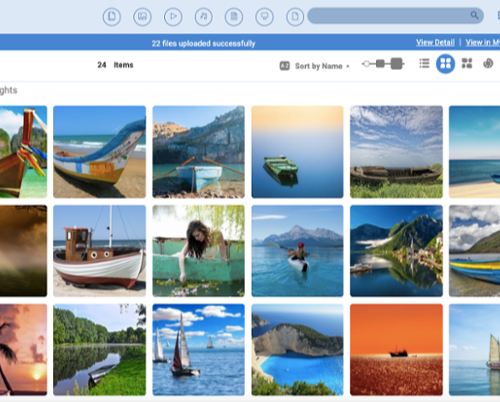
Here's how it works: Cumulus organises your assets into catalogs. You can have as many catalogs as you want, and you can customise the look of those catalogs to suit your needs. Each catalog includes one record for each asset that you have. This record keeps track of the metadata associated with the asset. Cumulus has an enormous collection of metadata fields ready for use, plus menus, scrolling lists, buttons, windows, drag-and-drop, and support for cross-platform operating system technologies. ColorSync and QuickTime are integral to Cumulus. 

In a nutshell, this means that Cumulus works with your operating system's core multimedia technologies to ensure that essential features like color management don't fall by the wayside. Each progressive level of Cumulus introduces additional features and options, but all flavors use the same advanced asset management technology that is the lifeblood of Cumulus.

All products include 12 months Software Maintenance.

Additional Info

Cumulus comes in the following flavours or editions: 

  • Workgroup Server in 3 separate Editions: Cumulus Entry = base workgroup includes 3 Clients; Workgroup with 3 Clients + Cumulus Sites and Workgroup with 3 Clients + Cumulus Sites + Web Client
    For the workgroup that relies upon successful collaboration. Asset management is the process of storing, tracking, finding and using digital assets in a well-organised, efficient manner. 
    Cumulus Workgroup serves that end by making it easy for network managers and project administrators to maintain and distribute large collections of intellectual assets to workgroups and clients. 
    Those on the other side of the network connection - the photographers, designers, production artists and others - appreciate Cumulus for its unparalleled flexibility, speed and ease of use when it's time to find and use intellectual assets. 
    Cumulus Sites provides browse/read only access to the Cumulus catalogs vuia simple web interface - no login required. Web Client is a full featured web interace for read/write access. 
    See Cumulus Entry (pdf) and Workgroup With Sites and Web Client (pdf) info.
  • Enterprise Server - For the corporate enterprise that needs a creative services department without walls. Base enterprise includes 10 Clients plus all web options and most extended packs.
    The top-of-the-line product from the world's leading Digital Asset Management system features unique workflow capabilities, unlimited web client access, and server-centric automation capabilities. Cumulus Enterprise targets the global corporation with multi-located departments that need to centralise the access and retrieval of digital files. It allows users to develop, integrate, and deploy a custom-built Asset Management solution that addresses unique workflow demands. The Enterprise Edition leverages a new, open Cumulus architecture that is powerful and flexible enough to adapt to evolving technologies and company needs. 
    See Enterprise (pdf) info.
  • Single User Edition - The Single User or standalone edition of Cumulus catalogs and manages any type of digital file, photos, office documents, audio, recorded TV and video, or anything else. XMP, IPTC and EXIF metadata are supported, and users can add any additional metadata they need. File-finding options include category browsing, keyword searching, complex query construction, file relations and more. Watermarking, a built-in image editor, and file processing options enable users to manage document masters and create on-the-fly variants that are copyright-protected, format or color converted, resized and more. 
    Perfect for today's SOHO media centres, Cumulus Single User can manage files stored on local drives, CDs/DVDs, networked computers or network attached storage appliances (NAS). Users can continue to search cataloged DVDs or other media, even when they're offline. 
    See Single User online info.

Options & Latest release: